

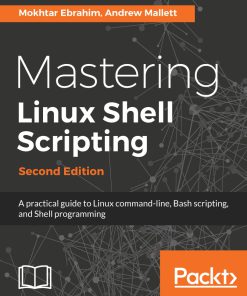
Mastering Linux Shell Scripting 2nd Edition by Mokhtar Ebrahim Andrew Mallett 1788990158 9781788990158


Original price was: $50.00.$25.00Current price is: $25.00.
Mastering Linux Shell Scripting 2nd Edition by Mokhtar Ebrahim, Andrew Mallett – Ebook PDF Instant Download/Delivery: 1788990158, 9781788990158
Full download Mastering Linux Shell Scripting 2nd Edition after payment
Product details
ISBN 10: 1788990158
ISBN 13: 9781788990158
Author: Mokhtar Ebrahim, Andrew Mallett
If you are a Linux administrator or a system administrator and are interested in automating tasks in your daily lives, saving time and effort, this book is for you. Basic shell scripting and command-line experience will be required. Familiarity with the tasks you need to automate will be helpful.
Mastering Linux Shell Scripting 2nd Table of contents
- Mastering Linux Shell Scripting Second Edition
- Packt Upsell
- Why subscribe?
- PacktPub.com
- Contributors
- About the authors
- About the reviewer
- Packt is searching for authors like you
- Preface
- Who this book is for
- What this book covers
- To get the most out of this book
- Download the example code files
- Download the color images
- Conventions used
- Get in touch
- Reviews
- The What and Why of Scripting with Bash
- Technical requirements
- Types of Linux shells
- What is bash scripting?
- The bash command hierarchy
- Command type
- Command PATH
- Preparing text editors for scripting
- Configuring vim
- Configuring nano
- Configuring gedit
- Creating and executing scripts
- Hello World!
- Executing the script
- Checking the exit status
- Ensuring a unique name
- Hello Dolly!
- Running the script with arguments
- The importance of correct quotes
- Printing the script name
- Declaring variables
- User-defined variables
- Environment variables
- Variable scope
- Command substitution
- Debugging your scripts
- Summary
- Questions
- Further reading
- Creating Interactive Scripts
- Technical requirements
- Using echo with options
- Basic script using read
- Script comments
- Enhancing scripts with read prompts
- Limiting the number of entered characters
- Controlling the visibility of the entered text
- Passing options
- Passing parameters with options
- Read options values
- Try to be standard
- Enhancing learning with simple scripts
- Backing-up with scripts
- Connecting to a server
- Version 1 – ping
- Version 2 – SSH
- Version 3 – MySQL/MariaDB
- Reading files
- Summary
- Questions
- Further reading
- Conditions Attached
- Technical requirements
- Simple decision paths using command-line lists
- Verifying user input with lists
- Using the test shell built-in
- Testing strings
- Testing integers
- Testing file types
- Creating conditional statements using if
- Extending if with else
- Test command with the if command
- Checking strings
- Checking files and directories
- Checking numbers
- Combining tests
- More conditions with elif
- Creating the backup2.sh using elif
- Using case statements
- Recipe – building a frontend with grep
- Summary
- Questions
- Further reading
- Creating Code Snippets
- Technical requirements
- Abbreviations
- Using code snippets
- Bringing color to the Terminal
- Creating snippets using VS Code
- Summary
- Questions
- Further reading
- Alternative Syntax
- Technical requirement
- Recapping the test command
- Testing files
- Adding logic
- Square brackets as not seen before
- Providing parameter defaults
- Variables
- Special parameters
- Setting defaults
- When in doubt – quote!
- Advanced tests using [[
- White space
- Other advanced features
- Pattern matching
- Regular expressions
- Regular expression script
- Arithmetic operations using ((
- Simple math
- Parameter manipulation
- Standard arithmetic tests
- Summary
- Questions
- Further reading
- Iterating with Loops
- Technical requirement
- for loops
- Advanced for loops
- The IFS
- Counting directories and files
- C-style for loops
- Nested loops
- Redirecting loop output
- Controlling the loop
- while loops and until loops
- Reading input from files
- Creating operator menus
- Summary
- Questions
- Further reading
- Creating Building Blocks with Functions
- Technical requirements
- Introducing functions
- Passing parameters to functions
- Passing arrays
- Variable scope
- Returning values from functions
- Recursive functions
- Using functions in menus
- Summary
- Questions
- Further reading
- Introducing the Stream Editor
- Technical requirements
- Using grep to display text
- Displaying received data on an interface
- Displaying user account data
- Listing the number of CPUs in a system
- Parsing CSV files
- The CSV file
- Isolating catalog entries
- Understanding the basics of sed
- The substitute command
- Global replacement
- Limiting substitution
- Editing the file
- Other sed commands
- The delete command
- The insert and append commands
- The change command
- The transform command
- Multiple sed commands
- Summary
- Questions
- Further reading
- Automating Apache Virtual Hosts
- Technical requirements
- Apache name-based Virtual Hosts
- Creating the virtual host template
- First steps
- Isolating lines
- sed script files
- Automating virtual host creation
- Prompting for data during site creation
- Summary
- Questions
- Further reading
- AWK Fundamentals
- Technical requirements
- The history behind AWK
- Displaying and filtering content from files
- AWK variables
- User-defined variables
- Conditional statements
- The if command
- while loops
- for loops
- Formatting output
- Further filtering to display users by UID
- AWK control files
- Built-in functions
- Summary
- Questions
- Further reading
- Regular Expressions
- Technical requirements
- Regular expression engines
- Defining BRE patterns
- Anchor characters
- The dot character
- The character class
- Ranges of characters
- Special character classes
- The asterisk
- Defining ERE patterns
- The question mark
- The plus sign
- Curly braces
- The pipe character
- Expression grouping
- Using grep
- Summary
- Questions
- Further reading
- Summarizing Logs with AWK
- Technical requirements
- The HTTPD log file format
- Displaying data from web logs
- Selecting entries by date
- Summarizing 404 errors
- Summarizing HTTP access codes
- Resources hits
- Identify image hotlinking
- Displaying the highest ranking IP address
- Displaying the browser data
- Working with email logs
- Summary
- Questions
- Further reading
- A Better lastlog with AWK
- Technical requirements
- Using AWK ranges to exclude data
- The lastlog command
- Horizontally filtering rows with AWK
- Counting matched rows
- Conditions based on the number of fields
- Manipulating the AWK record separator to report on XML data
- Apache Virtual Hosts
- XML catalog
- Summary
- Questions
- Further reading
- Using Python as a Bash Scripting Alternative
- Technical requirements
- What is Python?
- Saying Hello World the Python way
- Pythonic arguments
- Supplying arguments
- Counting arguments
- Significant whitespace
- Reading user input
- Using Python to write to files
- String manipulation
- Summary
- Questions
- Further reading
- Assessments
People also search for Mastering Linux Shell Scripting 2nd
mastering linux shell scripting
linux shell scripting pdf
bash scripting advanced
linux automation scripting
shell scripting for system administrators
Tags: Mastering Linux, Shell Scripting, Mokhtar Ebrahim Andrew Mallett
You may also like…
Computers - UNIX & Linux


Computers - Enterprise Computing Systems
Salt Open: Automating Your Enterprise and Your Network 1st Edition Andrew Mallett
Computers - UNIX & Linux
Mastering Linux Shell Scripting Second Edition Mokhtar Ebrahim Andrew Mallett
Computers - UNIX & Linux
Linux Fundamentals 2nd Edition by Richard Blum ISBN 1284254887 9781284254884

Computers - Computers - General & Miscellaneous
Computers - UNIX & Linux
Linux Shell Scripting Bootcamp 1st Edition by James Kent Lewis 9781787125414 1787125416

Computers - Enterprise Computing Systems
Salt Open: Automating Your Enterprise and Your Network 1st Edition Andrew Mallett
Computers - Programming